A Blender bug report reproduced a confusing result: only a few arm bones were selected for Assign Automatic from Bones, yet unselected support bones still changed where weights could be assigned. Blender's developers confirmed that selection controls which groups receive weights; every bone that remains marked Deform can still participate in the automatic-weight calculation.
Recognize this specific failure
This guide applies when a regional automatic-weight pass produces empty or unexpectedly weak areas shaped like nearby unselected bones. It is especially easy to trigger on dense creature shoulders, hips, wing roots, or rigs with support and control bones close to the mesh.
- Vertex groups for the selected bones exist, but part of the selected mesh receives zero or unexpectedly low weight.
- The gap lines up with an unselected support, helper, or control bone.
- Locking that unselected bone's vertex group does not remove its influence from the solve.
A legitimate neighboring deform bone may be unselected and still belong in the final skin. Turn Deform off only for bones that are genuinely controls or helpers and should never own mesh weights.
Audit the bones that are allowed to deform
-
Save a copy and keep the failed pose
Preserve the current rig before rebinding anything. Keep one pose or frame that exposes the gap so every change can be judged against the same evidence.
-
Select a vertex inside the gap
In Edit Mode, inspect its exact values in the 3D Viewport Sidebar's Vertex Weights panel. Confirm whether it is truly unassigned or merely too weak to see clearly in the heatmap.
-
Review every nearby bone's Deform setting
In the Bone properties, check support, mechanism, IK, and other control bones near the failed region. A helper may be unselected and have no useful vertex group while still participating because Deform is enabled.
-
Separate controls from real skinning bones
Disable Deform only on confirmed control or mechanism bones. Leave the intended parent, child, twist, and neighboring deform bones enabled even when they are not the groups being rewritten.
Rerun the solve on the smallest useful region
-
Mask the failed faces or vertices
Weight Paint tools respect vertex and face selection masking. Select the broken shoulder, paw, hip, wing root, or tail base instead of rebinding the whole creature.
-
Select the intended deform bones
Choose the bones whose vertex groups should be written, then run Weights → Assign Automatic from Bones. Keep unrelated, genuinely deforming bones enabled; the goal is to remove accidental controls from the solve, not to isolate one bone unnaturally.
-
Inspect the same vertex again
Verify that the gap now has the expected neighboring groups and no distant or control-bone influence. If the entire mesh still receives empty groups or Blender reports Bone Heat failure, stop: that is a broader bind or topology problem, not this selection behavior.
-
Test the complete joint range
Scrub beyond the one failed frame. A regional solve is only useful if it fixes the gap without creating a new collapse, pinch, or wrong-bone pull in the surrounding motion.
Why locking groups is not the same fix
Vertex-group locks prevent editing those stored values. They do not redefine which bones Blender considers part of the deforming armature. The official manual describes Assign Automatic from Bones as applying automatic weighting from the selected bones, while the confirmed implementation behavior still considers other bones whose Deform setting is enabled.
After the ownership is correct, Normalize All can make the selected vertices sum coherently and respects locked groups. It cannot decide that a helper bone should never have been a deform bone.
Use the analyzer after the solve
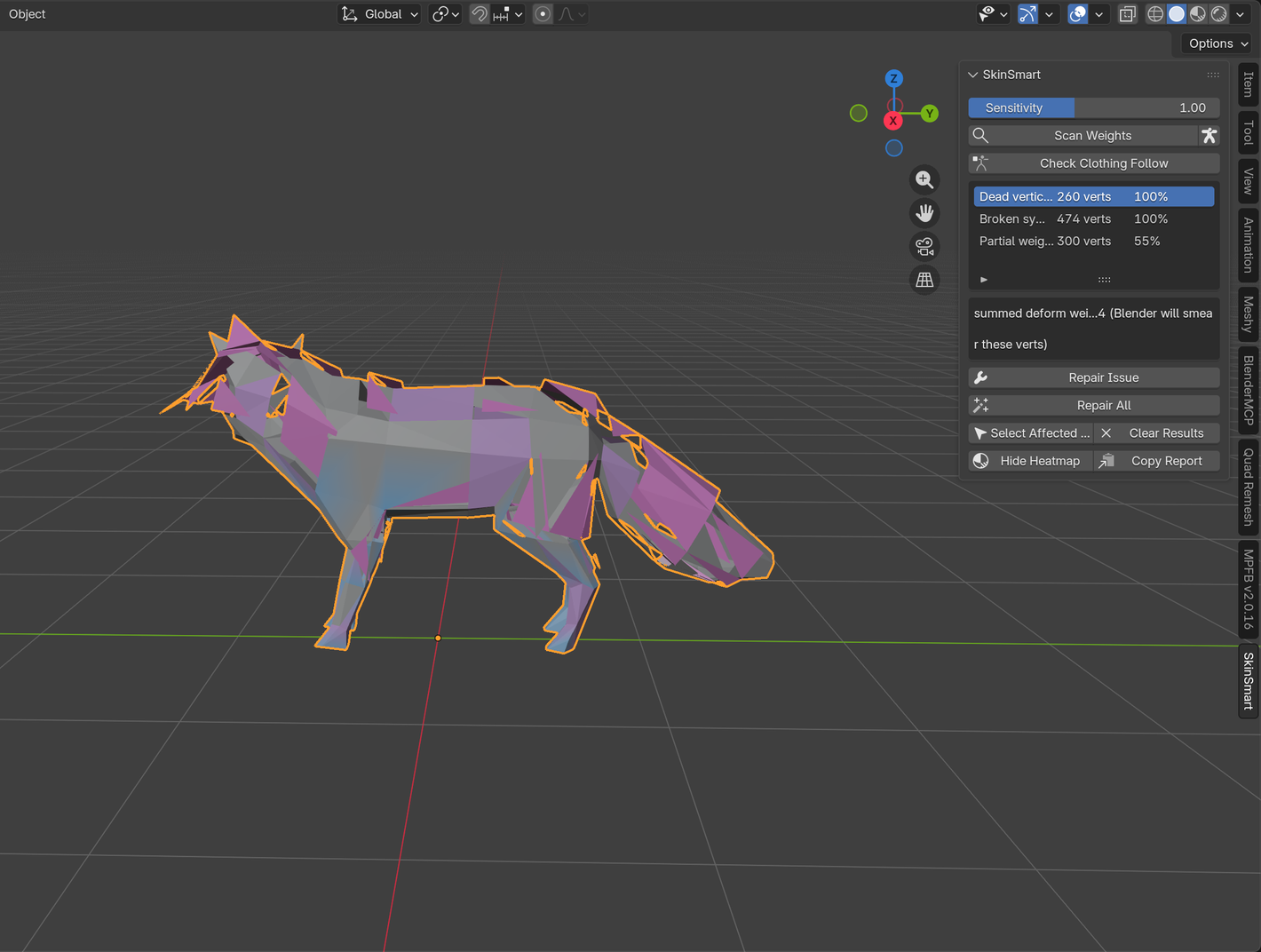
The free SkinSmart beta can flag suspicious or missing weight relationships and select affected vertices for review. It does not run Automatic Weights, change Deform settings, or repair the file. It also cannot guarantee that an arbitrary production rig can be repaired.
Download the free analyzerReferences
- Blender issue #162068, the confirmed case where unselected deform bones still affected Assign Automatic from Bones.
- Blender Manual: Assign Automatic from Bone, including selection-mask behavior and the related Weight Paint tools.
- Blender Manual: Normalize All, including how locked groups are preserved while other groups rebalance.
- SkinSmart: Bone Heat Weighting failed, for whole-mesh empty groups, bind errors, or topology failures outside this narrower pattern.